fellwind
Get started
Menu

4.9 out of 5 based on 500+ reviews.

For independent hotels

Every review in one place.
Every reply in your voice.

Bring your hotel’s reviews together, start with a thoughtful draft, and give every guest a response that feels like you.

You decide what gets published. Free during early access.

ReviewsHarbor Hospitality GroupAll hotels (2)⌄
37imported reviews
3to reply
77%answered this week
All reviews 37To reply 3Answered 34Dismissed 0
To reply 3
All sites⌄Most urgent first⌄
1–3 of 3
Booking.comHarbor HouseBooking.comUrgent
Negative · check-in
SP
Samuel ParkOct 24
★☆☆☆☆
Checked in at 11pm and our key cards didn’t work. Waited 25 minutes for someone to come back to the desk.
Suggested replyNot posted yetVoice: Harbor House

Samuel, I’m sorry you were left waiting so late at night. That is not the welcome we want to give. I’m reviewing our evening desk coverage and key checks with the team. Please contact me so we can discuss your experience. Raj, General Manager

DismissCopy and open review ↗Mark as posted
Copy the reply, paste it on Booking.com, then mark it as posted.
Review the guest’s feedback

Every place your guests have something to say

Your online reputation matters

Your reviews are worth more than you think.

Up to3%

higher monthly hotel revenue for a one-star increase in guest ratings.

+0.12 starsAverage rating gain for hotels that began replying to their reviews.

+12%More reviews for hotels that reply.

Sources: Sayfuddin & Chen, International Journal of Hospitality Management (2021); Proserpio & Zervas, Marketing Science (2017). Findings are associations from published studies, not guaranteed results.

✦ Prioritize what matters

See what needs
your attention.

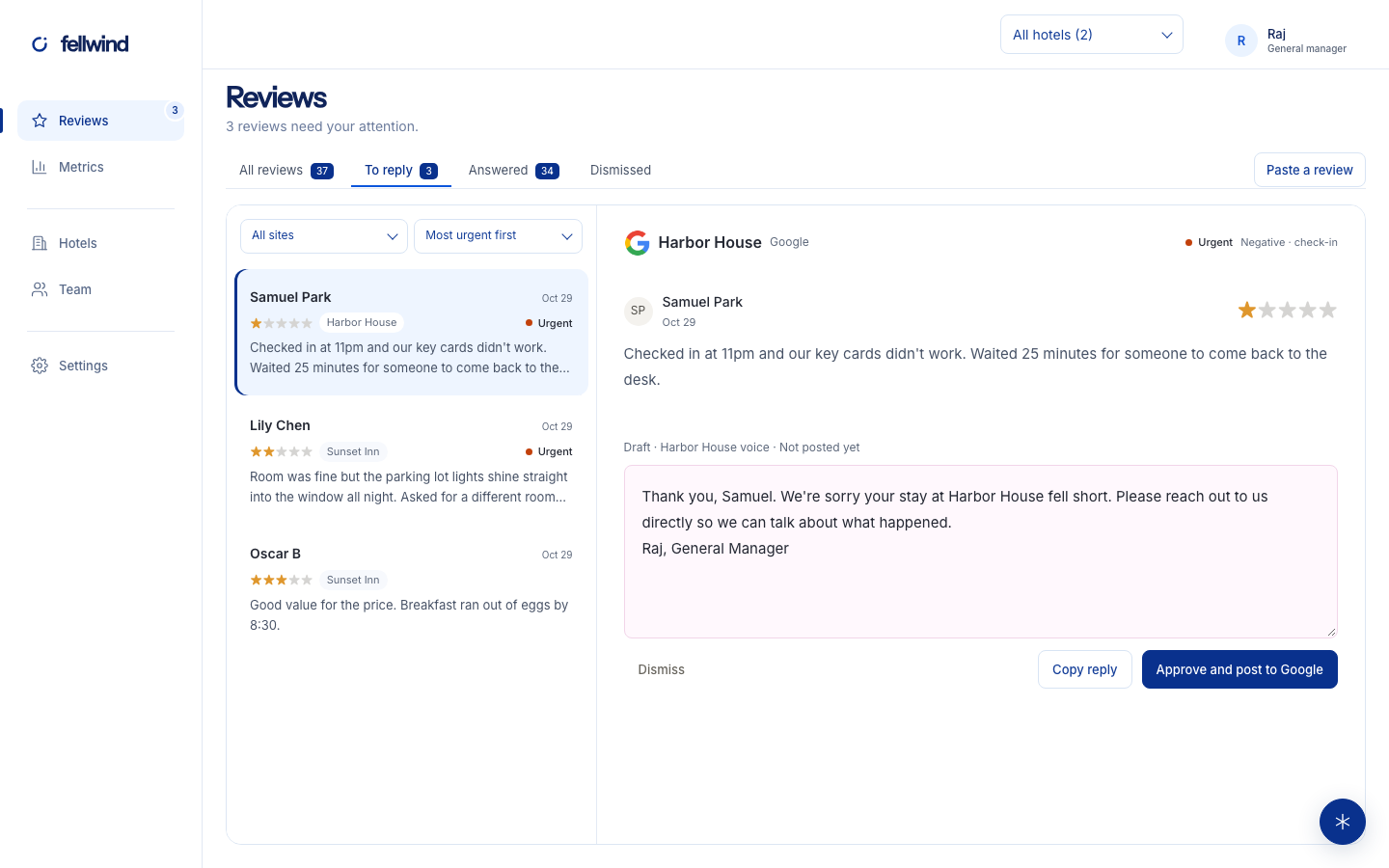
Reviews from every supported site come into one queue. Spot what needs a reply, filter by urgency, and keep your team aligned.

  • One inbox for every hotel and review site
  • Find urgent and negative feedback quickly
  • Filter, assign, and collaborate with your team
Fellwind reviews inbox with a selected guest review and reply draft

✦ AI that sounds like you

Reply like you,
not like a robot.

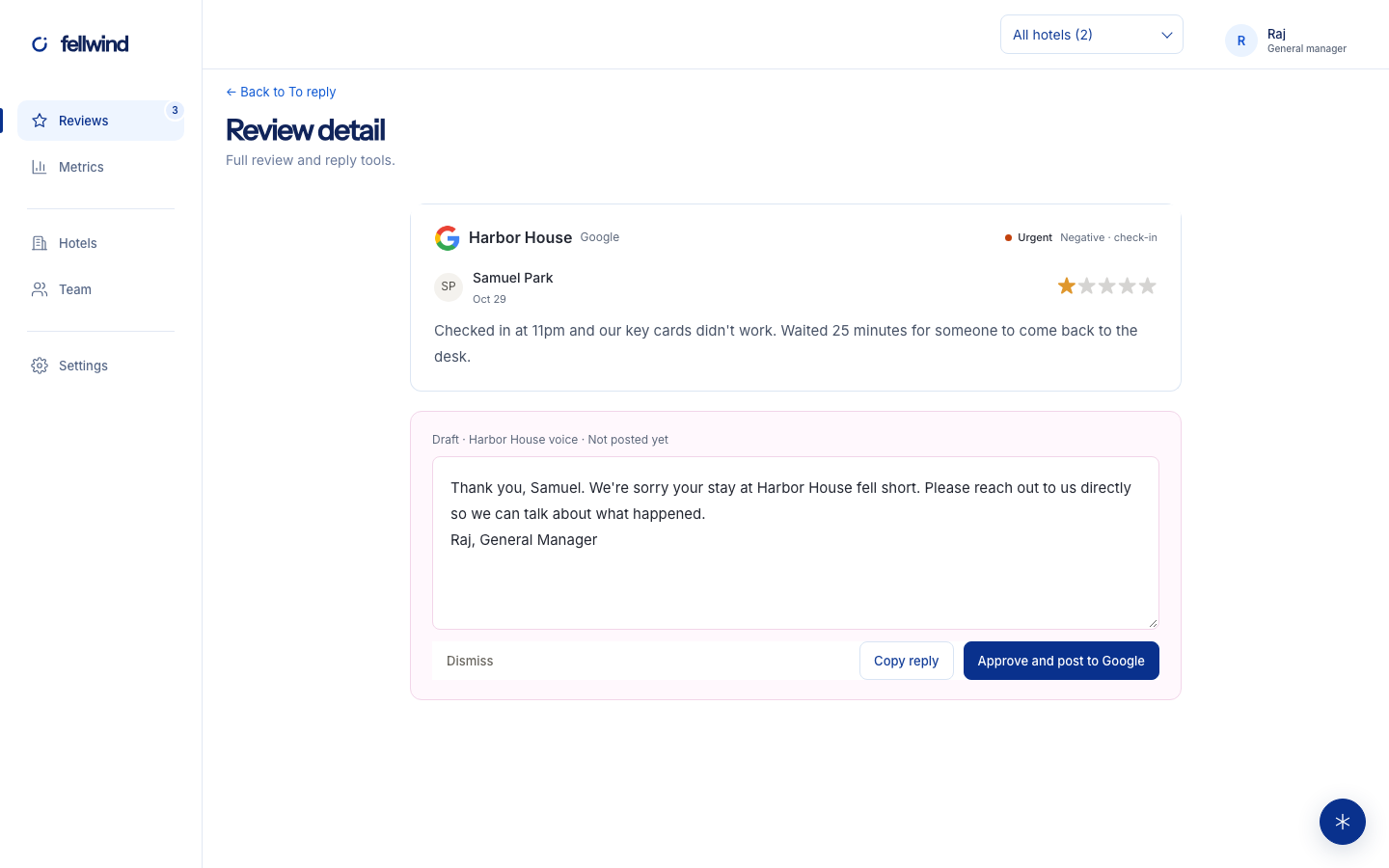
Turn guest feedback into thoughtful replies in your hotel’s voice. The draft is a starting point: you edit and decide what gets published.

  • Drafts in your hotel’s voice
  • Adjust the details and tone
  • Review, edit, and publish when ready
Review detail with a personalized reply ready to edit

▥ Turn feedback into progress

Know what guests
are telling you.

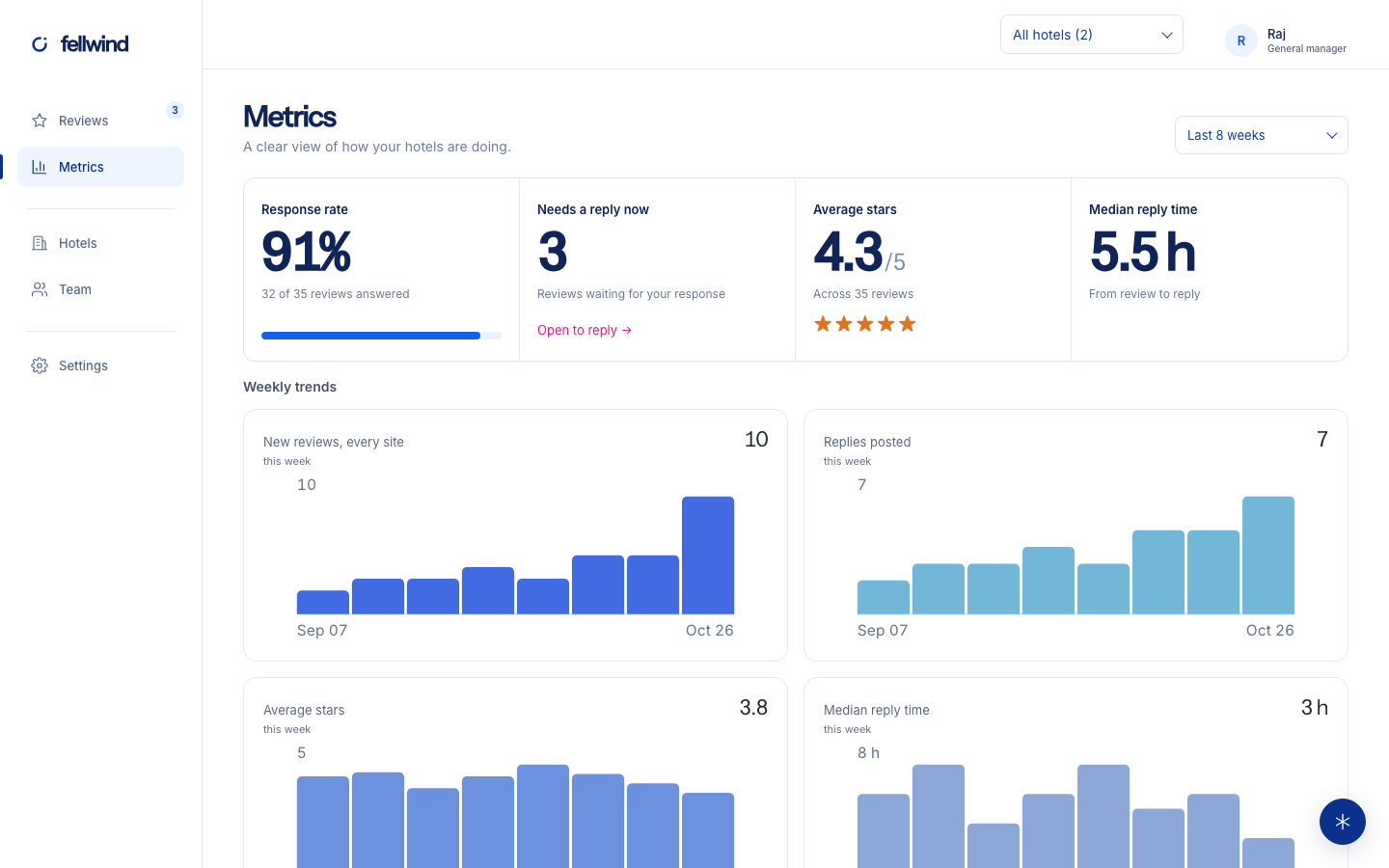
Track response rate, ratings, and trends over time. Find opportunities and make better decisions for your hotel.

  • Response rate and average rating
  • Trends by hotel and review site
  • Common themes and insights
Fellwind metrics dashboard with response rate, ratings, and charts

A simpler way to handle hotel reviews

▢

Every review, together

See your reviews from supported sites in one place.

✦

Thoughtful drafts, faster

Get a head start on responses that sound like your hotel.

✓

You decide what gets published

Review, edit, and post when you’re ready.

[04] APPS/ WHEREVER WORK HAPPENS

At the desk. On the go.

Use Fellwind in your browser, or bring it closer to your daily workflow.

Mac

A dedicated place for your review workspace.

Coming soon

Windows

Keep reviews close at the front desk.

Coming soon

Chrome

Bring reviews from a site into your queue.

Coming soon

Works in any browser today, including on your phone.

[05] YOUR DATA/ HANDLED WITH CARE

Your guests’ words
stay in good hands.

Simple, transparent pricing

Start with your hotel.

Free during early access.

Fellwind for independent hotelsFree during early access
  • Every review in one workspace
  • Draft replies in your hotel’s voice
  • Review metrics and trends
  • Your team stays in control
Get started
[06] QUESTIONS/ BEFORE YOU BEGIN

Before you
make yourself at home.

Do I approve replies before they go out?

Yes. Approval for every reply is the default. You can edit each draft before publishing or copying it.

Can replies go out automatically?

You can choose automatic replies for high ratings or all ratings on supported connected sites. Sensitive topics still wait for a person.

Which sites can Fellwind post replies to?

Google. Connect your Business Profile once. You approve each reply, then Fellwind posts it to Google for you. Booking.com, Tripadvisor, Expedia, Yelp and others don’t let apps post replies, so copy the reply and paste it on the site.

How do I get started?

Create your account and connect Google: Fellwind finds your hotels for you. Then add each hotel’s Booking.com and Tripadvisor listings so those reviews come in too. You can also start by pasting a review.

What does it cost?

Free during early access.

Can I manage more than one hotel?

Yes. Keep hotels in one company workspace, filter the review queue by hotel, and see their combined metrics.

For independent hotels

Better stays start with listening.

Bring your reviews together, reply with confidence, and turn feedback into better stays.